Configure IPTV on Apple iOS with Smarters Player Lite
Step 1:
Start by downloading the IPTV Smarters app from the Apple Store via this URL:
or you can search for it on the App Store
install the application on your iOS device.
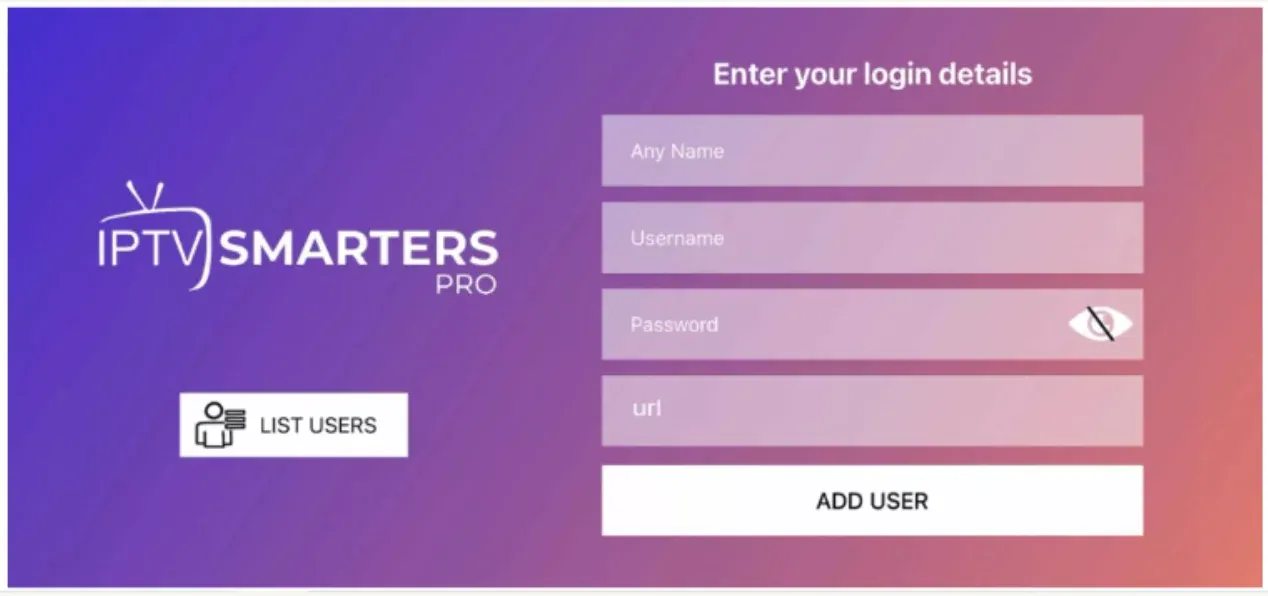
Step 2:
Enter the connection information we provided you after obtaining an IPTV SUBSCRIPTION with us.
Now click on « ADD USER » to proceed to the next section.
Step 3:
Wait a few seconds.
Step 4:
Now click on the « Live TV » icon as shown in the image via a red arrow.
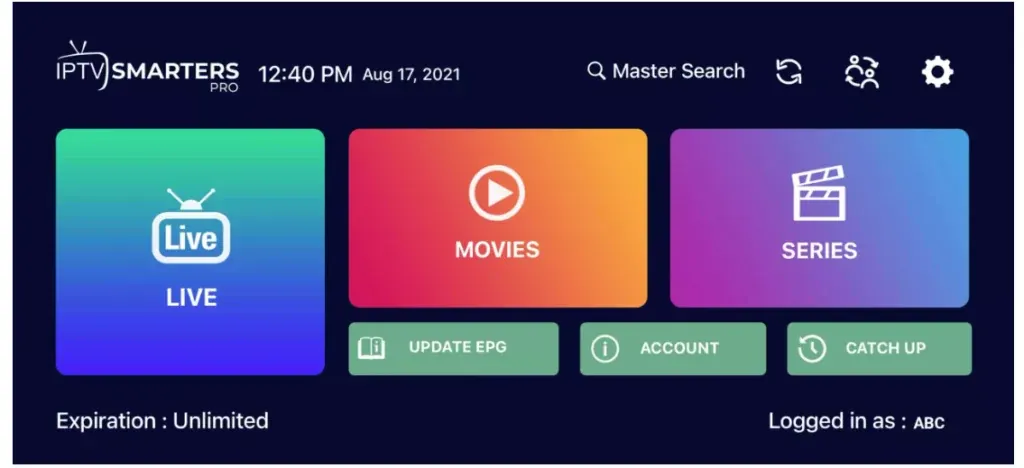
Step 5:
You must now select the channel group you want to watch and proceed to the next section.
Step 6:
You must now click on the channel name, then double-click on the small screen to go full screen as the final step.
Step 7:
To add EPG, no need to add a URL. Simply click on « Install EPG ». Done.
Popular IPTV links
IPTV subscription pricing • IPTV plans & deals • premium IPTV features • IPTV Smarters Pro subscription • IPTV FAQ • M3U playlist & Xtream Codes help • HD & 4K live TV channels • customer reviews • IPTV setup blog • IPTV Smarters installation guide • device installation hub • IPTV reseller program • install IPTV on Firestick • install IPTV on Smart TV • install IPTV on Windows PC • install IPTV on iPhone & iPad • compare IPTV subscription prices
IPTV Smarters Pro — official downloads • IBO Player — official website • VLC media player
